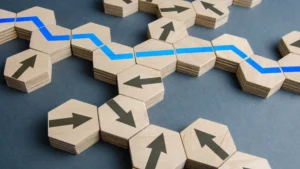
The most reliable presentation writing strategy is to write the result first and the slides last. Define who is in the room, your core point, three supporting points and the ending you want. Storyboard on paper. Only then open the slide software, with one idea on each slide.
Most presentations are written in the opposite order. Someone opens last year’s deck, moves slides around and adds text until it looks finished. The outcome is a deck that covers everything and asks for nothing.
How do you write a presentation from scratch?
Start with a blueprint, not an outline. The Be Brilliant Blueprint, the first step in Patti Schutte’s Resultations Method, sets out five decisions before any slide is made.
- Describe the audience. Who they are, what they want and what they need from you. This always comes first.
- Set the core point, the hook and the story. A core point alone is not enough. You also need the reason to listen and the journey from where the audience is now to where you want them.
- Choose the structure. It follows from the kind of presentation you are giving and from whether you need to interest the audience or persuade them.
- Build three main points. Three keeps the talk focused and gives it a beginning, a middle and an end.
- Design the ending. Decide what the audience should do, remember and feel when you finish.
Be Brilliant completes this blueprint with a client in a single session of 30 to 60 minutes. The time it saves comes later, when every slide already has a job.
Are you writing as a speaker or as a presenter?
The answer changes how much you need to write. Be Brilliant separates the two. A speaker relays information, as you do when you lead a meeting. A presenter takes the audience somewhere, and the visuals, the structure and the staging are part of how they get there.
If you are relaying an update, you may need no slides at all. If you are on a conference stage or in front of a board, the presentation itself carries part of the message and deserves to be written as a whole.
For a keynote or a conference stage, that writing work is often more than a leader can take on alongside the role. Beyond Brilliant is the package for those moments: Patti develops the message and storyline with you and your team, and the deck is designed for you, from concept through to delivery.
Why should you storyboard before you build slides?
Because slide software pulls your attention to fonts and layout before the thinking is done. Keep the laptop closed and sketch each slide on paper, with only its purpose and its one idea.
A storyboard shows the whole path of the presentation at once. You can see where the argument jumps, where two slides do the same job and where a slide exists only because it was in the last deck. In the Resultations Method, this step is designed to cut the time spent building slides and reduce their number by half.
How much text belongs on a slide?
Far less than most decks carry. Design each slide like a billboard and assume the audience has three seconds to read and understand it. That means one main point per slide.
| Rule | What it means |
|---|---|
| One idea per slide | If a slide makes two points, it is two slides. |
| 7 by 7 | For a text slide: no more than seven bullets, no more than seven words each. |
| 1 by 6 | One image and no more than six words. |
| Do not write what you can say | Transitions and qualifiers belong in your voice, not on the screen. |
| A comma means a new bullet | If a line needs a comma, split it or say the rest out loud. |
The research supports this restraint. Richard Mayer’s principles of multimedia learning, summarized by the University of Washington, hold that people learn better when extraneous material is excluded and when narration is not repeated as on-screen text.
How does the writing change for a business, company or training presentation?
The blueprint stays the same. What changes is the result you are writing toward, and that changes what goes in and what stays out.
- A business case or proposal. Lead with the decision you need. Give the three reasons. Close on the next step and its owner.
- A company presentation. Write for what this audience needs from your company, not for everything the company does. Show the value that is specific to you.
- A training session. The result is what people can do afterward. Write fewer concepts and more application.
- A deck that will be read without you. That is a document, not a presentation. Write a proper handout and keep the slides for the room. A copy of your slides is not a handout.
How do you write the ending?
Write it early, and write it as an action. The ending is what the audience is most likely to remember, so the rest of the presentation should be built to arrive there.
Use the Do-Remember-Feel test. If you cannot name what the audience should do, remember and feel, you have not yet defined the value of the presentation. For the detail, see our guide to presentation closing techniques.
Frequently asked questions
Less time than most people spend, if the order is right. The planning blueprint can be completed in a session of 30 to 60 minutes. Storyboarding on paper comes next. Building slides should be the shortest phase, because by then every slide already has one clear job.
Three. Three main points keep the presentation focused and give it a natural beginning, middle and end. Supporting detail sits underneath them. If you find yourself with five or six, some are evidence for another point, or they belong in a handout or a second conversation.
Write out the opening and the close, and know your three main points well. A full script ties you to exact wording, which makes interruptions harder to handle. Senior audiences interrupt. A clear structure lets you answer and return to your message without losing your place.
As many as you have separate ideas, and no more. There is no correct number. One idea per slide can mean more slides with far less on each, or it can mean very few. A storyboard will show you which slides are doing a job and which are not.
In short: decide the audience, the core point and the ending before you open the slide software. Then give every slide one idea and one job.